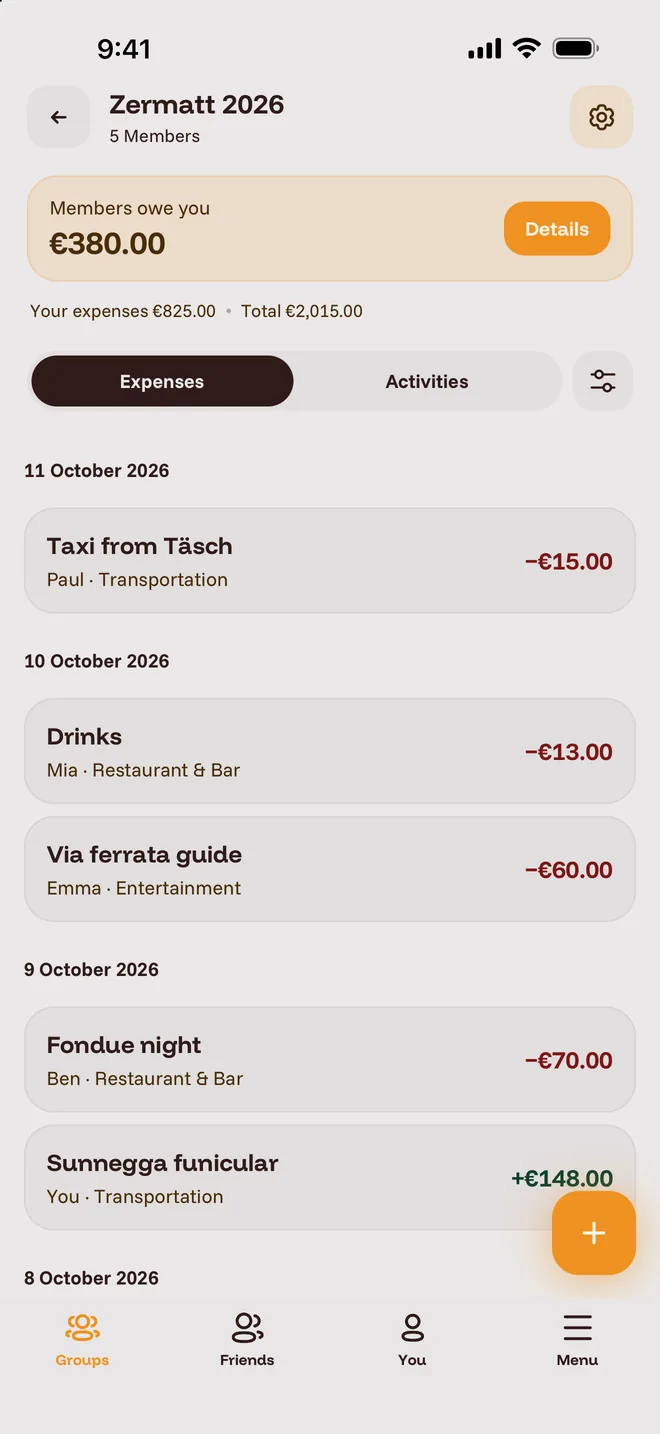
Split expenses without doing the math.
Trips, flatshares or pizza night: you add who paid for what, and Amy shows who owes whom. Free and ad-free.
Amy in five points
- Free
- Everything included, no subscription.
- No ads
- Nothing flashing between your expenses.
- Guests without an account
- No app? They still count.
- PDF statement
- The breakdown, ready to send.
- iPhone and Android
- One group, whatever phone people have.
How Amy adds it up
Three friends, one weekend, three bills. Two transfers and everyone is square.Weekend by the sea
Expenses
- Vacation rentalLena paid · split equally by three€360.00
- FuelYou paid · split equally by three€90.00
- DinnerJonas paid · exact: You €30.00, Lena €24.00, Jonas €30.00€84.00
Balances
- Lena gets back+€186.00
- You owe−€90.00
- Jonas owes−€96.00
Settlement
- You pay Lena €90.00
- Jonas pays Lena €96.00


Organising? Here's how to get everyone on board.
A link for everyone with the app, guests for everyone without, and a PDF at the end.- ALAlexAdmin
- EMEmma
- BEBen
- PAPaulGuestLinkLinked
Guests for everyone without the app
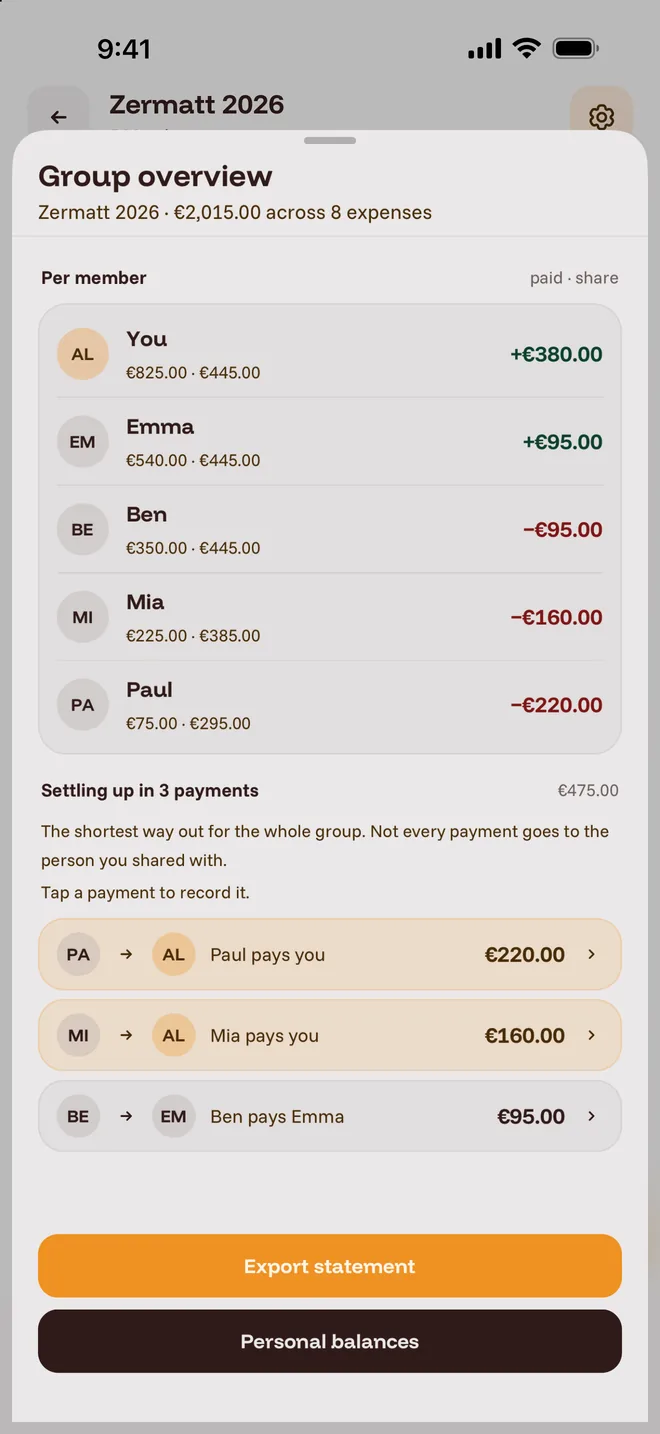
Not everyone wants another app. As the admin you add them as guests, and Amy includes them in new expenses automatically. If someone joins later after all, link guest and account and their expenses move over.- Alex+€380.00
- Emma+€95.00
- Ben−€95.00
- Mia−€160.00
- Paul−€220.00
- Paul to Alex€220.00
- Mia to Alex€160.00
- Ben to Emma€95.00
- Alex+€380.00
- Emma+€95.00
- Ben−€95.00
- Mia−€160.00
- Paul−€220.00
- Paul to Alex€220.00
- Mia to Alex€160.00
- Ben to Emma€95.00
A PDF for everyone at the end
Balances, settlement, every expense and payment in one file. Leave out what you don't need and send it to anyone, even without Amy.Also for two, and just for you
Settle up with single friends without a group. And in the You tab Amy becomes your little budget tracker: it shows what's left this month after fixed costs and spending.- BEBen+€12.00Settled
- LELena−€8.50
- JOJonasSettled
- Income€2,400.00
- Fixed costs−€912.00
- Spending−€846.00
- Food42%
- Transport23%
- Home20%
- Leisure15%
What Amy does and doesn't do
What you get
- Free, no paid tierNo subscription, no premium tier, no paywall.
- No adsNot in the app and not on this website.
- Sign in without a passwordEnter your email, type in the code, done.
- iPhone and AndroidiPhone and Android in the same group.
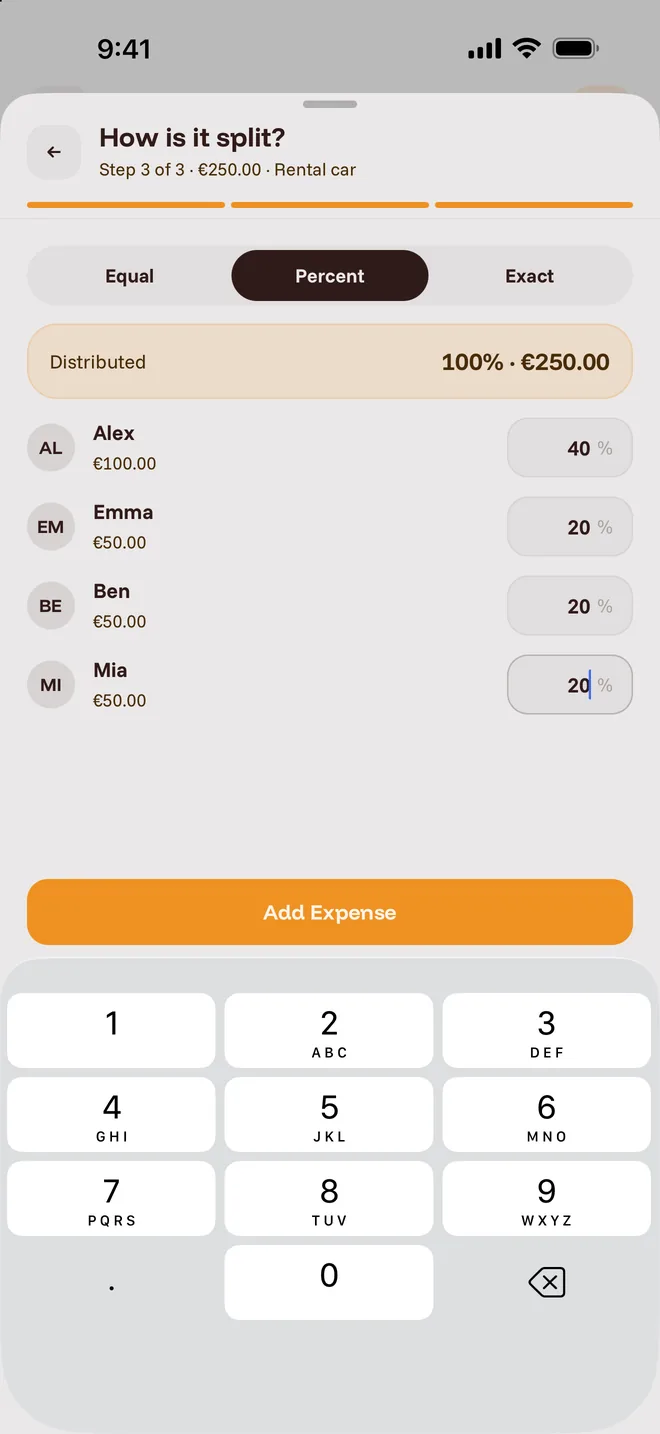
- Split equally, by percentage or exactYou decide who was in and who covers how much.
- 10 currenciesPaid in francs on holiday? Amy converts to the group's currency.
- PDF statementBalances, settlement, expenses and payments in one file.
- Guests without an accountAnyone without the app joins as a guest.
- Personal budgetIncome, fixed costs and your own spending, with statistics.
What Amy can't do
- No web versionAmy is an app only.
- No receipt scanningYou type amounts in yourself.
- No CSV exportShare it as a PDF, not as a spreadsheet.
- No remindersNeither for open amounts nor for fixed costs.
Common questions
Missing your question? Write to hello@amy.borstessi.de.Before you install
Is Amy really free?
Yes. Every feature is free, with no subscription and no ads. If you'd like to support the project, you can do so voluntarily on Ko-fi.
Does Amy work for a trip or a shared flat?
Yes, that's what it's made for. For a trip you create a group, everyone adds the rental, the car and the restaurants, and at the end a few transfers settle it all, even if you paid in francs along the way. In a shared flat the group simply keeps running: groceries, electricity and cleaning supplies go in, and Amy always shows who's up and who's down.
Does everyone in the group need the app?
No. For anyone without the app, the admin adds guests who count in every split. If a guest joins later with an account, the admin links the two and their expenses move over.
How do I join a group?
Open the invite link. Or tap the round button at the bottom right under Groups in Amy, choose Join group and enter the code. Once an admin approves, you're in.
How do I sign in?
With your email address. Amy sends you a code, there's no password. The first time you also enter your name and accept the terms of use.
How does Amy split an expense?
Equally, by percentage or with fixed amounts per person. Pick whoever paid as the payer. You can also record payments between two other members.
Which currencies does Amy support?
Ten: euro, US dollar, pound, yen, yuan, Indian rupee, Australian and Canadian dollar, Swiss franc and Swedish krona. Rates come from the free Frankfurter service (frankfurter.app) and can differ slightly from your bank's. Each expense keeps the rate from the day you enter it.
Is Amy an alternative to Splitwise and Tricount?
Yes. Amy has no paid tier and no ads, plus a personal budget with fixed costs and statistics. On the other hand, it doesn't have a web version or receipt scanning. More above under What Amy does and doesn't do.
If you already use Amy
Which notifications does Amy send?
You get a push notification when someone adds, edits or deletes an expense or records a payment to you. On top of that come join requests and approvals, new members, invitations and friend requests. Amy doesn't remind you of open amounts.
Where is my data stored?
On servers in the US, with providers certified under the data protection agreement between the EU and the US. Other group members see your name and what you add to the group, but not your email address. The privacy policy lists the providers.
My sign-in code doesn't arrive. What now?
Check your spam folder and tap Resend code in the app. If that doesn't help, write to hello@amy.borstessi.de.
How do I delete my account?
Under Menu, Account, Delete account. Amy deletes your own expenses, income and fixed costs, groups where you're the only member, and your sign-in account. Shared expenses in other groups stay so the balances still add up, with a placeholder instead of your name. Only a group's activity feed can still show your name next to a join or removal.